

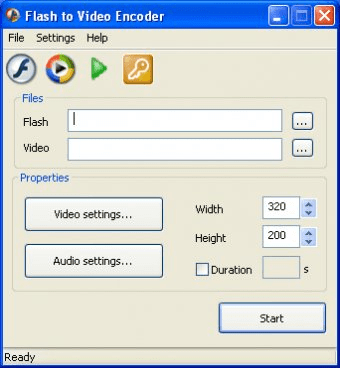
Encode Your Macromedia Flash (swf) Movies to AVI Video Flash To Video Encoder converts any Macromedia Flash (swf files) to video movie AVI or mp4 file. The converting process allowing human interaction on Flash content during conversion. Create your own video or dvd collection by converting with Flash To Video Encoder your favourite flash movies. Record the passing of your favorite flash game to video file and save it to the future. Also you able to convert Flash SWF files to MP4 media contnt for your mobile devices.Geovid Flash to Video Encoder is an application that lets you convert flash video (FLV, SWF files), to other popular formats. It outputs to AVI, WMV, ASF, MPEG files and allows you to configure settings such as bit rate, frame rate, audio codec, etc., and properties such as width, height, and duration.
The conversion process is slow because the application needs to play the file in order to convert it (that is only the first part, then you will have to wait while it encodes the output file), and you may need to manually stop conversion if you haven't set its duration.
Flash to video encoder presents a nice graphic interface with a small preview screen, but it is too expensive for its price. It has very limited features, no batch conversion (you can only process one video at a time), no editing (contrast, effects, watermarks), and it is not possible to crop screen. Definitely not my first choice, but if you want to test it by yourself, a free trial is available for downloading.
System Requirements:
Windows Vista, Windows XP, Windows 2000, Windows 2003
HDD - 1 Gb and more
RAM - 128 Mb and more
DirectX 9 or better
Adobe Flash 6 or better


Comments